An IP prefix is a range of IP addresses managed and announced as a group. Businesses use prefixes for websites, cloud services, hosting platforms, VPN gateways, email infrastructure, data centers, and enterprise networks. Before deploying a prefix, announcing it through BGP, leasing it, or accepting it as part of an IPv4 transfer, it is important to check whether the public information is complete and consistent.
Many network problems begin before a prefix is actually deployed. The address range may be registered to a different organization, the expected origin ASN may not match the current BGP announcement, the prefix may not have an appropriate RPKI authorization, or it may not be visible in the global routing table. A prefix can also have a history of abuse, spam, malware, or incorrect geolocation.
Checking an IP prefix does not require advanced routing knowledge. A structured review can provide a useful technical picture before a network change is made. The process normally starts with the prefix format, then moves through registration data, routing information, RPKI, BGP visibility, and operational reputation.
This guide explains how to perform that review for both IPv4 and IPv6 prefixes. It is designed for beginners, system administrators, hosting companies, cloud users, network engineers, and businesses evaluating an address range for production use.
What Is an IP Prefix?
An IP prefix is a group of addresses written using CIDR notation. The notation combines a network address with a slash and a prefix length. For example, 192.0.2.0/24 represents an IPv4 range, while 2001:db8:1234::/48 represents an IPv6 range.
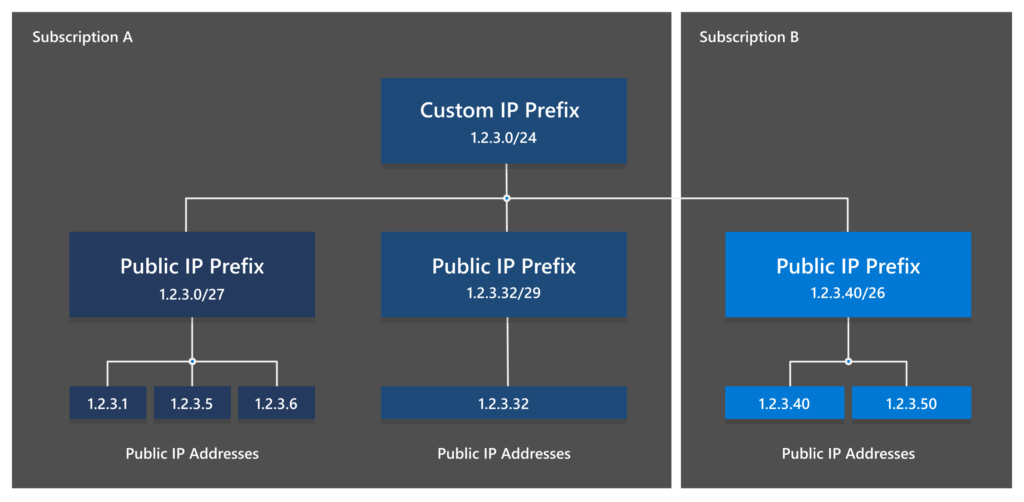
The number after the slash describes how much of the address identifies the network. In an IPv4 /24, the range contains 256 total addresses. In an IPv6 /48, the address space is much larger and can normally be divided into 65,536 separate /64 networks.
The prefix is different from one individual IP address. 192.0.2.25 is one IPv4 address, while 192.0.2.0/24 describes the wider block that contains it. Understanding this distinction is important because registry records, BGP announcements, route objects, and RPKI authorizations usually apply to prefixes rather than individual addresses.
If you are unfamiliar with this terminology, read our guide to What Is an IP Address? and our explanation of IPv4 and IPv6 before continuing.
Why Should You Check a Prefix Before Using It?
A prefix can appear technically usable while still containing important risks. A registry record may show an unexpected organization, an old abuse contact, or a status that does not match the transaction you are considering. A route may be visible in BGP from an origin ASN that the seller or provider did not mention.
Routing authorization is another important issue. If the prefix is announced from an ASN that is not covered by the correct RPKI authorization, the route may be classified as Invalid by networks that perform origin validation. This can lead to partial or complete reachability problems after deployment.
A prefix can also have operational history. Some address blocks have previously been used for spam, malware, proxy services, scanning, or other abusive activity. Even when the current user has done nothing wrong, old reputation data may affect email delivery, advertising platforms, fraud systems, hosting providers, or customer access.
A technical prefix check cannot prove legal ownership or guarantee that an address range is free from every reputation issue. It is an early due-diligence step that helps identify obvious inconsistencies before money, production traffic, or customer services depend on the resource.
Step 1: Confirm the Prefix Format
The first step is to confirm that the prefix is written correctly in CIDR notation. An IPv4 prefix should contain four decimal octets followed by a prefix length between /0 and /32. An IPv6 prefix uses hexadecimal groups separated by colons and a prefix length between /0 and /128.
Examples of correctly formatted prefixes include:
192.0.2.0/24
198.51.100.0/24
2001:db8:1234::/48
2001:db8:abcd:1200::/56
The address should normally be the network boundary for the selected prefix length. For example, 192.0.2.0/24 is a valid network boundary, while an arbitrary address such as 192.0.2.25/24 may be normalized to 192.0.2.0/24 by a lookup system.
Do not use an individual address when you intend to check an entire block. Searching for 192.0.2.25 may return information about the larger allocation, but it does not always make the intended range clear. Use the complete prefix whenever possible.
Prefix Format Practice
A prefix such as 203.0.113.0/24 describes an IPv4 range. A prefix such as 2001:db8:1200::/48 describes an IPv6 range. The address family, network boundary, and prefix length should all be confirmed before the rest of the investigation begins.
The examples in this article use documentation-only address space. They are intended for education and testing, not for production routing.
Step 2: Identify the Responsible RIR
The next step is to identify the Regional Internet Registry responsible for the prefix. The five main RIRs are:
- RIPE NCC
- ARIN
- APNIC
- LACNIC
- AFRINIC
Each RIR manages Internet number resources for a particular region and publishes registration information according to its own policies and systems. A prefix used in Europe may be associated with RIPE NCC, while a prefix used in North America may be associated with ARIN.
The RIR is important because transfer procedures, registration requirements, sponsorship arrangements, and resource policies differ between regions. If you are evaluating a prefix for an IPv4 transfer or an IPv6 allocation, you need to know which registry’s rules apply.
The RIR can normally be identified through a registry lookup, WHOIS service, RDAP endpoint, or a network intelligence tool. The result should be compared with the information provided by the current holder or service provider.
If a provider claims that a prefix is a RIPE NCC resource but the public registry points to a different registry, ask for clarification before continuing. The difference may have a reasonable explanation, but it should never be ignored.
Step 3: Review the Registration Record
After identifying the responsible RIR, review the public registration record. The exact fields depend on the registry, but common information includes the prefix, network name, organization reference, resource status, country, abuse contact, administrative contact, technical contact, source registry, and last modification date.
The organization shown in the record should be consistent with the party offering the resource. For a lease, the provider may not be the registered holder, but it should be able to explain its authority to lease or manage the address space. For a transfer, the current holder and receiving organization should be clearly documented.
Pay attention to the resource status. A prefix may be allocated, assigned, legacy, provider-independent, provider-aggregatable, or associated with another type of registration. The status does not by itself determine whether you can use the prefix, but it provides context for the arrangement.
The abuse contact is also important. A public and functioning abuse contact gives network operators a way to report incidents. A missing or obviously outdated contact is a warning sign, especially for a prefix intended for hosting, email, or public services.
The registry record is not always a legal ownership certificate. Public data can be incomplete, delayed, or affected by a sponsoring relationship. Contracts, transfer documentation, and direct confirmation from the relevant registry or LIR may still be required.
Step 4: Check the Origin ASN
The origin ASN is the autonomous system that currently announces the prefix in BGP. An ASN is a unique identifier used by an independent network to exchange routing information with other networks.
For example, a prefix may currently appear in BGP with origin AS64500. If a provider tells you that the prefix will be announced by AS64510 after deployment, that change should be documented and reflected in the routing authorization plan.
The current origin ASN can be checked through public BGP monitoring systems, route collectors, or a prefix lookup service. You should record the ASN, the time of the observation, and whether more than one origin is visible.
One origin ASN is often easier to understand, but multiple origins are not automatically wrong. A network may intentionally announce a prefix from several locations for redundancy, traffic engineering, or anycast services. The important question is whether the multiple origins are expected and authorized.
An unexpected origin is a reason to pause. It may indicate an old provider announcement, a migration that was not completed, a route leak, an incorrect configuration, or a possible hijack.
Step 5: Check BGP Visibility
A BGP visibility check shows whether the prefix is currently observed by networks and route collectors around the Internet. A prefix may exist in a registry but not be announced publicly. Conversely, a prefix may be visible in BGP even though its public registration information is outdated.
A visible route normally contains the prefix, origin ASN, AS path, announcing locations, and observation time. The exact data depends on the monitoring service, but the main question is simple: is the prefix currently reachable through the global routing system?
If the prefix is intended for public services, a complete lack of BGP visibility may require explanation. It may be a new resource that has not been deployed yet, a private or reserved range, a route that is currently withdrawn, or a prefix that is too small for some upstream providers to accept.
Visibility from one location does not guarantee global reachability. Different networks may apply different filters, and some providers may not accept certain prefix lengths. It is useful to compare more than one observation point when the resource is important.
BGP visibility also changes over time. A single lookup is a snapshot, not a permanent status. For production networks, monitoring route changes and unexpected withdrawals is more useful than checking the prefix only once.
Step 6: Review the RPKI Status
RPKI provides a way to check whether the origin ASN is authorized to announce the prefix. The result is generally shown as Valid, Invalid, or Not Found.
A Valid result means that the prefix, origin ASN, and permitted prefix length match a published Route Origin Authorization. This is a positive routing-security signal.
An Invalid result means that an authorization exists, but the announcement conflicts with it. The origin ASN may be wrong, or the announced prefix may be more specific than the authorization allows. A legitimate route can become Invalid after an ASN migration, provider change, IPv4 transfer, or routing redesign.
A Not Found result means that no applicable authorization was found. It does not prove that the route is malicious, but it means that other networks cannot confirm the origin through RPKI.
The RPKI result should be compared with the expected deployment plan. If you plan to announce the prefix from a new ASN, confirm that the authorization will be updated before the new route becomes active. For a detailed explanation, read RPKI Valid, Invalid and Not Found.
Step 7: Look for an IRR Route Object
An Internet Routing Registry, or IRR, stores routing policy information used by many network operators when building prefix filters. A route object for IPv4 or a route6 object for IPv6 can indicate which ASN is expected to originate a prefix.
The IRR record should normally be consistent with the intended origin ASN. If the BGP route shows AS64500 but the route object lists AS64510, the difference should be investigated.
An IRR object does not prove legal ownership, and it does not prove that the route is currently visible in BGP. It is a routing-policy record that describes expected use. Some networks rely heavily on IRR data, while others use it together with RPKI and internal customer records.
The absence of an IRR object is not automatically a failure. Some providers do not require one in every situation, and some resources use other policy systems. However, an unexpected or conflicting route object can create filtering problems and should be corrected before deployment.
Step 8: Check Operational Reputation
An IP prefix can have a technical routing status that looks correct while still having a poor operational reputation. Address space previously used for spam, malware, scanning, phishing, or abusive hosting may appear on blocklists or reputation databases.
The exact impact depends on the intended use. Email systems are particularly sensitive to IP reputation. Hosting providers, payment services, social platforms, advertising networks, and fraud systems may also classify addresses according to their own historical data.
Reputation checks should be performed at the individual address level and at the wider prefix level where possible. A clean result today does not guarantee that the address will remain clean after deployment. The new operator is responsible for monitoring abuse and responding to reports.
Geolocation is another consideration. Different databases may associate the same prefix with different countries or cities. This can affect content delivery, compliance controls, fraud detection, and customer access. Before using a prefix for a location-sensitive service, check how major databases classify it.
Reputation data is separate from RPKI. RPKI tells you whether an ASN is authorized to originate a route. It does not tell you whether the address has a clean email or abuse history.
Step 9: Compare the Results for Consistency
The most useful part of a prefix review is comparing the different sources. A healthy technical picture often looks like this:
- The registry identifies the expected resource holder or sponsoring organization.
- The current BGP origin ASN matches the deployment plan.
- The route or route6 object describes the expected origin.
- The RPKI status is Valid, or a clear plan exists to publish the correct authorization.
- BGP visibility matches the intended service.
- Abuse and operational contacts are available.
- Reputation checks do not reveal unacceptable historical issues.
A mismatch does not always mean that the prefix is unusable. Networks can be in the middle of a migration, and public databases do not update simultaneously. The important point is to understand the reason for the mismatch and document the correction plan.
A prefix should receive additional review when several sources disagree at the same time. For example, an unexpected registry organization, an unknown origin ASN, an RPKI Invalid status, and no working abuse contact together represent a much higher risk than one delayed database update.
The following module can be inserted into a WordPress Custom HTML block. It provides a simple prefix-format check for learning purposes. It does not contact an external API and does not prove ownership, BGP visibility, RPKI status, or transfer eligibility.
Check an IP Prefix Format
Enter an IPv4 or IPv6 prefix in CIDR notation. This tutorial checks the address family, prefix length, and basic format in your browser.
How to Use the Prefix Checker Properly
The HTML module checks only the syntax of the prefix. It confirms whether the input resembles an IPv4 or IPv6 network and whether the prefix length is within the correct range.
It does not query the RIR, BGP, IRR, or RPKI systems. This limitation is intentional. A browser-only syntax checker can run without an API key and without sending the entered prefix to a third-party service.
For a full public-data review, use the IP Resource Readiness Checker. That tool can help review the responsible registry, registration information, origin ASN, route objects, RPKI status, and BGP visibility.
The result should still be treated as a technical pre-check. It does not prove ownership, confirm transfer eligibility, guarantee a clean IP reputation, or replace the terms of a contract.
When Should You Avoid Using a Prefix?
You should pause when the registration information cannot be explained, especially if the provider refuses to identify the current holder or sponsoring relationship. A lack of clear documentation creates unnecessary legal and operational risk.
You should also investigate an unexpected origin ASN, an RPKI Invalid result, missing routing objects, or a prefix that is announced by several unrelated networks without a clear explanation.
A poor reputation history is another reason to perform additional checks. If the prefix is intended for email, hosting, VPN services, or customer-facing applications, test the addresses against relevant reputation databases before moving production traffic.
Finally, be careful with a prefix that is described as “clean” or “ready” without supporting evidence. Ask for registry information, routing data, authorization details, abuse contacts, and a clear migration plan.
Frequently Asked Questions
Can I check an IP prefix without technical knowledge?
Yes. Start with the prefix format, identify the responsible RIR, and review the public registration record. You can then check the origin ASN, BGP visibility, and RPKI status using public lookup tools. You do not need to understand every routing detail to identify obvious inconsistencies.
Is an IP prefix the same as an IP address?
No. An IP address identifies one endpoint or interface. A prefix identifies a range of addresses. For example, 192.0.2.25 is one address, while 192.0.2.0/24 is a range containing it.
Does a registry record prove ownership?
Not always. Registry information is an important public reference, but ownership and transfer rights may also depend on contracts, organization records, sponsorship arrangements, and the policies of the relevant RIR.
What does an RPKI Invalid result mean?
It means that a published authorization exists, but the observed BGP origin or prefix length does not match it. The cause may be a configuration error, an incomplete migration, a stale ROA, or an unauthorized announcement.
Is a Not Found RPKI result dangerous?
Not necessarily. Not Found means that no applicable authorization was found. It does not prove that the route is wrong, but it means that RPKI cannot confirm the origin.
Should every prefix have BGP visibility?
No. A prefix may be registered but not currently announced because it is new, reserved, used privately, or awaiting deployment. If the prefix is supposed to provide a public service, however, a lack of visibility should be explained.
Can this process confirm that an IPv4 prefix is transferable?
No. Technical checks can identify registry and routing information, but transfer eligibility depends on the relevant RIR policy, resource status, documentation, contracts, and approval process.
Checking an IP prefix before using it is a simple way to reduce technical and operational risk. The process begins with confirming the prefix format and address family, then moves through the responsible RIR, registration record, current origin ASN, BGP visibility, IRR information, RPKI status, and operational reputation.No single lookup provides the complete answer. Registry data explains the administrative context, BGP shows what is being announced, IRR describes expected routing policy, and RPKI checks whether the origin ASN is authorized. Reputation checks provide a separate view of historical use and potential service impact.
The most important habit is to compare the results rather than reading each record in isolation. When the registry, origin ASN, route object, RPKI status, and BGP visibility all support the same routing plan, the prefix is easier to understand and deploy. When they disagree, pause and investigate before using the resource in production.
For a public technical pre-check, use the IP Resource Readiness Checker. For additional background, read What Is the RIPE Database? and RPKI Valid, Invalid and Not Found.